
Running an e-commerce website is a significant investment of time and resources, and generating consistent revenue is often a key challenge. Integrating Google AdSense can be a powerful tool to boost your income, but simply slapping ads on your site isn’t enough. To truly maximize your earnings, you need to understand and actively manage your AdSense metrics. These insights tell you how your ads are performing, where your audience is engaging, and ultimately, where you can refine your strategy for better results. This article from seotoday.in delves deep into the most critical AdSense metrics for e-commerce businesses, offering actionable advice to elevate your monetization efforts.
1. Click-Through Rate (CTR)
A high Click-Through Rate (CTR) indicates that your ads are genuinely relevant and appealing to your visitors. For e-commerce, this is especially crucial as you’re trying to drive traffic directly to product pages. A low CTR suggests your ad placement, creative, or the actual products being advertised might not be resonating with your audience. Regularly analyze your CTR for different ad types – image ads, text ads, and responsive ads – to identify which formats perform best. Don’t just focus on the overall CTR; segment it by landing page to see which product categories are attracting the most clicks. Testing different ad copy and visuals can dramatically improve your CTR, boosting your overall earnings. Remember, a higher CTR means more impressions and, ultimately, more potential sales.
2. Impressions and Viewability
Impressions represent the number of times your ad was displayed, while viewability measures how often your ad was actually seen by a user. While a high number of impressions seems impressive, they’re worthless if nobody sees them. Low viewability rates often indicate poor ad placement – are your ads buried in the fold, hidden behind navigation, or too small to easily notice? Optimizing ad placement is paramount; strive to place your ads within the visible area of the screen and ensure they’re large enough to be easily clicked. Tools like Google’s AdSense reporting interface and third-party monitoring solutions can provide accurate viewability data. Focusing on improving viewability ensures you’re getting paid for ads that are actually being seen, not just served.
3. Earnings Per Click (EPC)
Earnings Per Click (EPC) is arguably one of the most important metrics for e-commerce. It calculates the average revenue you earn for every single click on your ads. A high EPC demonstrates that your ads are not only attracting clicks but are also driving conversions. Analyzing your EPC by product category allows you to identify your most profitable products – the ones that consistently generate higher revenue per click. Consider boosting the visibility of these high-EPC products with more prominent ad placements. Conversely, if a product has a low EPC, explore alternative ad formats or even consider temporarily removing ads from that page to avoid detracting from the customer experience. Continuous monitoring and optimization of your EPC are key to sustainable growth.
4. Conversion Rate – AdSense Impact
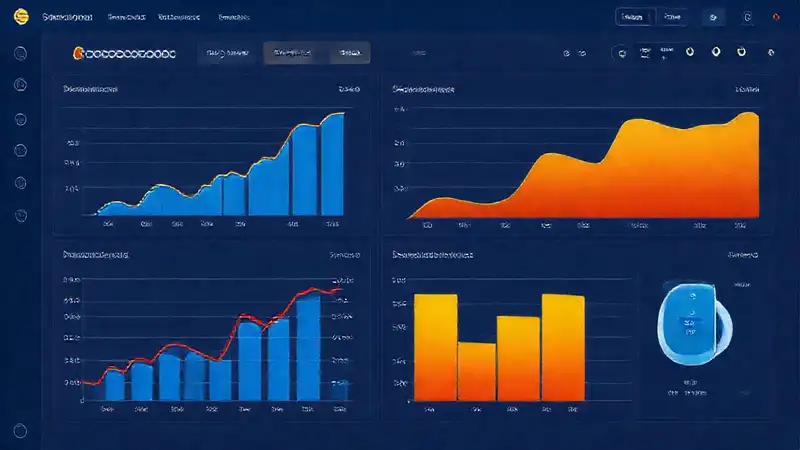
While not directly tracked within AdSense, understanding your website’s overall conversion rate is critical when evaluating the impact of your ads. A sudden drop in conversion rate after implementing new AdSense changes warrants investigation. It’s possible your ads are distracting users, slowing down your site, or negatively impacting the user experience. Use Google Analytics to track your conversion rate – the percentage of visitors who complete a purchase – alongside your AdSense data. A/B testing different ad placements and frequencies can help you determine the optimal balance between monetization and user experience. Prioritize a seamless shopping experience; don’t let your ads overshadow your products.
5. Average CPM (Cost Per Mille)
Cost Per Mille (CPM) – or Cost Per Thousand Impressions – is the amount you pay for every 1,000 ad impressions. It’s a crucial metric for budgeting and understanding your overall AdSense costs. A higher CPM indicates that your website is attracting a more valuable audience, perhaps those with higher purchasing power. However, a high CPM doesn’t automatically equate to higher revenue. Focus on optimizing your CTR and viewability to maximize your earnings per impression. Experiment with different ad formats and targeting options to potentially increase your CPM, but always prioritize providing a positive user experience. Regularly review your CPM trends to identify potential shifts in your audience and adjust your strategy accordingly.
Conclusion
Successfully monetizing an e-commerce website with AdSense requires more than just adding ads; it demands a data-driven approach. By diligently tracking and analyzing your key metrics – CTR, impressions, viewability, EPC, and CPM – you can gain invaluable insights into your audience and optimize your ad placements for maximum revenue. Remember that user experience should always remain a top priority; striking the right balance between monetization and a seamless shopping experience is crucial for long-term success. Utilize tools like Google Analytics in conjunction with your AdSense reports to build a comprehensive understanding of your website’s performance and continuously refine your strategy for ongoing growth.