
Keyword research is the cornerstone of any successful SEO strategy. Without understanding what people are searching for, it’s impossible to optimize your website and content to rank higher in search results. Traditionally, this involved manually sifting through vast databases of keywords, often leading to time-consuming and sometimes inaccurate results. However, Google offers a powerful, free tool – Google Trends – that can dramatically streamline this process and provide invaluable insights into keyword popularity, seasonal trends, and related search terms. This article will explore how you can leverage Google Trends to inform your SEO keyword strategy, moving beyond simple volume searches and into a deeper understanding of user intent.
Google Trends isn’t just a simple graph showing a keyword’s popularity over time; it’s a dynamic tool packed with data that can be used to uncover hidden opportunities and refine your existing strategies. By combining Google Trends with other keyword research tools, you can build a much more robust and effective approach to understanding your target audience and identifying the terms they’re actively using. This combination allows for a more strategic, data-driven approach to keyword targeting, ultimately increasing your chances of achieving higher search rankings and driving more organic traffic to your website. Let’s delve deeper into how you can utilize this valuable resource.
Understanding Search Interest Over Time
Google Trends allows you to visualize the historical popularity of a keyword over a specific period. You can select different time ranges – from the last hour, day, week, month, year, or even five years – to observe how search interest has changed. This is incredibly useful for identifying seasonal trends. For example, if you’re selling winter coats, you’ll see a significant spike in searches around November and December. Conversely, if you’re promoting summer travel packages, you’ll observe an increase in searches during the spring and summer months.
Furthermore, the “Related Queries” section provides a fantastic window into terms that people are searching for alongside your target keyword. These related queries often reveal long-tail keywords—longer, more specific phrases—that can be valuable for targeting niche audiences. Analyzing these related queries allows you to identify potential content opportunities and expand your website’s coverage to encompass a broader range of relevant searches. Don’t just focus on the top search terms; drilling down into the entire list can uncover surprising and effective keywords you might have otherwise missed.
Importantly, Google Trends doesn’t just show raw search volume. It also provides a “Interest over time” graph, which allows you to visually assess whether a keyword is rising, falling, or remaining stable. This allows you to quickly identify trends and adjust your content strategy accordingly. A declining trend might signal that it’s time to revisit your strategy and focus on more current, relevant topics. Conversely, a rising trend could indicate a burgeoning opportunity to capitalize on increased user interest.
Exploring Geographic Interest
One of the most underutilized features of Google Trends is its ability to analyze keyword interest by location. You can select specific countries, regions, or even cities to see where people are searching for your chosen terms. This is crucial for businesses with a local focus or those targeting specific geographic markets. If you’re a pizza restaurant in New York City, you’ll see a concentrated spike in searches for “pizza delivery NYC” compared to, say, “pizza delivery London.”
Understanding geographic interest allows you to tailor your SEO efforts to specific regions. For example, you might optimize your website for local keywords – including your city or region – to improve your rankings in local search results. You can also target your advertising campaigns to specific geographic areas based on your keyword research, maximizing your return on investment. Ignoring geographic segmentation means you could be overlooking valuable opportunities to reach potential customers in untapped markets.
Moreover, using Google Trends’ geographic data can help you identify emerging markets. By observing trends in less-populated areas, you might discover regions where interest in your product or service is growing rapidly, giving you a competitive advantage. This proactive approach to keyword research can help you identify new growth opportunities before your competitors do.
Identifying Related Topics & Topics
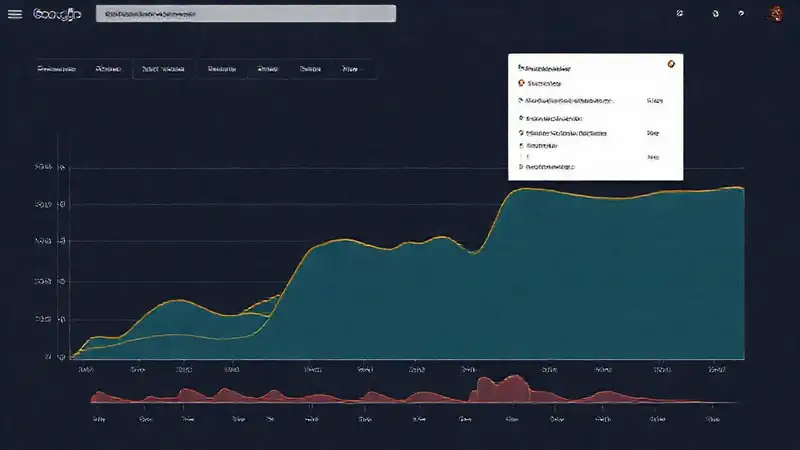
Google Trends goes beyond simply tracking individual keywords; it helps you understand the broader keyword landscape. The “Related topics” section shows you related themes and concepts that people are interested in alongside your target keyword. This is particularly helpful for identifying content ideas and expanding your website’s coverage beyond a single keyword. If you’re researching “running shoes,” you might see related topics like “marathon training,” “trail running,” or “footwear technology.”
These related topics can be used to brainstorm new content formats and angles. Instead of just writing a blog post about “best running shoes,” you could create a guide on “training for your first marathon” or a comparison of “the latest footwear technology.” Diversifying your content strategy based on related topics can attract a wider audience and establish you as a trusted authority in your niche. Don’t limit yourself to direct keyword-related content—explore the broader thematic connections.
The “Related questions” feature, accessible from the related topics section, further expands your understanding. This shows you the actual questions people are asking related to your keyword. This allows you to directly address user intent by creating content that answers these questions comprehensively. Focusing on providing valuable answers not just relevant keywords dramatically improves your content’s value and search ranking potential.
Comparing Keywords and Measuring Relative Popularity
Google Trends offers a valuable “Compare” feature that allows you to directly compare the popularity of two or more keywords. This is incredibly useful for assessing relative search interest and identifying opportunities where one keyword might outperform another. For example, you could compare “coffee shop” to “cafe” to see which term is generating more searches in your target location.
The results of the comparison are presented as a percentage, giving you a clear understanding of the relative popularity of each keyword. You can also see the trend lines for each keyword, allowing you to assess whether one is growing faster than the other. This comparison is invaluable for prioritizing your keyword targeting efforts and ensuring that you’re focusing on the terms with the highest potential for driving traffic. It’s more insightful than simply looking at raw search volume.
Furthermore, the “Compare” feature can be used to evaluate the effectiveness of different variations of a keyword. For example, you could compare “best laptop” to “top laptops” to see which phrasing is more popular. This data-driven approach to keyword selection helps you refine your targeting strategy and optimize your website for the most effective search terms. Understanding the nuances of keyword phrasing is critical for maximizing your SEO impact.
Conclusion
Google Trends is a remarkably versatile tool that provides invaluable insights for SEO keyword research, far exceeding the capabilities of simple search volume data. From understanding historical trends and geographic interest to comparing keywords and identifying related topics, it empowers you to make more informed decisions about your content strategy and overall SEO efforts. By incorporating Google Trends into your workflow, you move beyond guesswork and embrace a data-driven approach to keyword targeting.
Ultimately, the combination of Google Trends with other keyword research tools—like Google Keyword Planner, Ahrefs, or SEMrush—creates a robust foundation for a successful SEO strategy. Don’t treat Google Trends as a standalone tool; see it as a crucial component of a broader, more holistic approach to understanding your audience and optimizing your website for search. Continually monitoring trends and adapting your strategy will ensure that your SEO efforts remain effective and aligned with evolving user search behavior.