The freemium business model – offering a basic, free version of a product alongside a premium, paid upgrade – is incredibly popular, especially within the WordPress plugin ecosystem. However, simply releasing a free plugin isn’t a guarantee of success. Sustaining a thriving user base and converting free users into paying customers requires a deep understanding of their needs and pain points. This understanding comes directly from customer feedback, and collecting it effectively is crucial for continuously improving your plugin and ensuring long-term viability. This article delves into specific customer feedback methods that can dramatically refine freemium WordPress plugins, focusing on strategies that go beyond basic support tickets. We’ll explore how to gather, analyze, and act upon insights to build a more valuable and sticky product.
The challenge with freemium plugins is balancing the generosity of the free offering with the need to incentivize upgrades. A poorly designed free version can lead to frustrated users who never see the value of the premium features. Conversely, a too-aggressive sales pitch within the free version can alienate potential customers. Therefore, a continuous cycle of feedback, iteration, and refinement is vital. This article will outline actionable strategies to foster this cycle, transforming passive users into engaged advocates who actively contribute to the plugin’s evolution and ultimately drive revenue. Ultimately, the success of a freemium WordPress plugin hinges on its ability to genuinely meet user needs, and listening to those needs is the first and most important step.
1. In-App Surveys & Feedback Forms
In-app surveys and integrated feedback forms are arguably the most direct method for gathering immediate feedback. Utilizing plugins like SurveyMonkey or Typeform directly within the WordPress dashboard provides a seamless user experience, encouraging more frequent participation. These tools allow you to target specific user segments – for instance, sending a survey only to users who’ve recently upgraded or those who consistently utilize a particular feature. Don’t just ask closed-ended questions (multiple choice); incorporate open-ended questions like “What’s one thing we could improve about this plugin?” or “How could this feature be more useful to you?” The key is to frame the questions in a way that feels helpful and not intrusive. Implementing a simple “Give Feedback” button accessible from any page significantly improves accessibility for users who prefer a less formal method of sharing their thoughts.
Furthermore, consider using progressive profiling. Start with a brief, low-friction survey upon initial plugin installation, and then strategically introduce more detailed surveys as users become more familiar with the functionality. This avoids overwhelming new users and builds trust. Remember to offer a small incentive for completing surveys – a discount on the premium version, early access to new features, or simply a thank-you message. Analyzing the survey data – both quantitative and qualitative – is equally important. Look for patterns in responses and identify recurring themes to prioritize improvements. Prioritize fixing bugs reported through these channels first, as they’ll have the most immediate impact on user satisfaction.
2. Utilizing WordPress Support Forums
WordPress support forums represent a valuable, naturally occurring source of customer feedback. Actively monitoring and engaging within the official WordPress.org support forums, as well as any community forums your plugin hosts, provides real-time insights into user struggles and feature requests. Responding thoughtfully and promptly to user questions demonstrates your commitment to helping users succeed. However, simply answering questions isn’t enough – you must actively solicit feedback. Ask users directly about their experiences with the plugin and what they would like to see improved.
Encourage users to create detailed bug reports, including steps to reproduce the issue and screenshots. This detailed information is invaluable for developers. Implement a system for flagging and prioritizing bug reports based on severity and frequency. Regularly share updates and new features within the forum, explaining the rationale behind changes and soliciting feedback on the new additions. Consider creating dedicated threads for feature requests and voting systems to gauge user interest in different ideas – this gives you clear indication of what’s truly important to your user base.
3. Analyzing Google Analytics & User Behavior
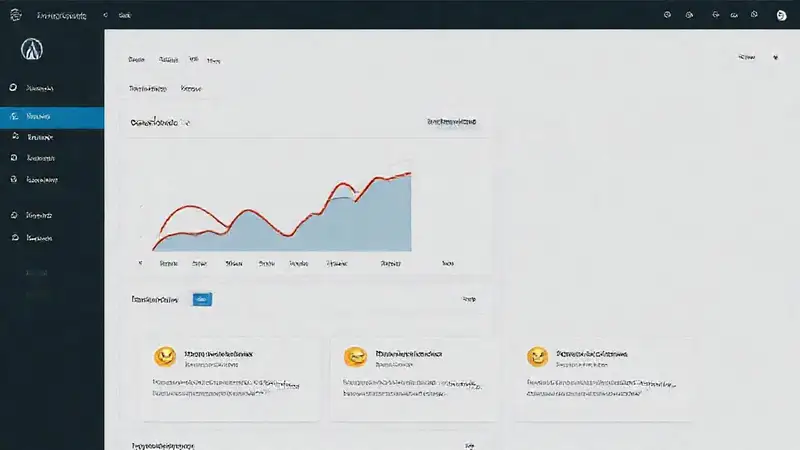
Google Analytics can provide incredibly granular insights into how users are interacting with your plugin. Tracking metrics such as feature usage, time spent on specific pages, and conversion rates from the free to the premium version can reveal areas where users are struggling or not utilizing key features. For instance, if a significant number of users are abandoning a key feature after a specific step, you can investigate whether there’s a usability problem or a lack of clear instructions. Segmenting your user base – based on free vs. premium status, user role, and other relevant criteria – allows you to identify specific groups with unique needs and tailor your feedback gathering efforts accordingly.
Don’t just look at high-level metrics; delve into the individual user journey. Use event tracking to monitor specific actions within the plugin, such as button clicks, form submissions, and data uploads. Heatmaps can reveal where users are clicking, scrolling, and spending their time on different pages, highlighting areas of confusion or frustration. Combining this data with feedback gathered through surveys and forums provides a holistic view of the user experience, enabling you to make informed decisions about product development and prioritization.
4. Social Media Engagement & Community Building
Leveraging social media platforms – particularly Twitter, Facebook, and relevant WordPress communities – provides a valuable channel for direct communication and feedback. Actively participate in conversations related to your plugin and industry trends, and respond to user questions and comments promptly. Run polls and Q&A sessions to gather quick feedback on specific features or potential improvements. Encourage users to share their experiences with the plugin using a dedicated hashtag.
Consider creating a Facebook group or Slack channel for your plugin users to foster a sense of community. This provides a dedicated space for users to connect with each other, share tips and tricks, and provide feedback directly to the development team. Monitor social media for mentions of your plugin – both positive and negative – and respond appropriately. Utilizing social listening tools can help you track brand sentiment and identify emerging issues before they escalate.
5. A/B Testing & Iterative Development
Customer feedback shouldn’t just inform your roadmap; it should drive your development process. A/B testing different UI elements, workflows, and messaging can help you determine what resonates best with your users. For example, you could test two different calls to action for your premium upgrade page to see which generates the most conversions. Implement an agile development methodology, focusing on releasing small, incremental updates based on user feedback. This allows you to quickly iterate on your product and respond to changing user needs.
Prioritize features based on user demand and impact. Don’t simply build features because you think they’re a good idea; validate those ideas with your users first. Utilize a “Minimum Viable Product” (MVP) approach to gather early feedback on new features before investing heavily in their development. Regularly communicate updates and improvements to your users, explaining how their feedback has influenced the product. Transparency builds trust and encourages continued engagement.
Conclusion
Gathering and effectively utilizing customer feedback is not a one-time task; it’s an ongoing process integral to the success of any freemium WordPress plugin. By implementing the methods discussed – from in-app surveys and forum monitoring to leveraging Google Analytics and social media engagement – you can gain invaluable insights into user needs and pain points. The key is to create a closed-loop system where feedback is continuously collected, analyzed, and translated into concrete improvements, ultimately driving user satisfaction and boosting your conversion rates. Remember that a responsive and customer-centric approach will establish your plugin as a valuable resource, fostering a loyal user base and ensuring long-term sustainability within the competitive WordPress marketplace. Ultimately, listening to your customers is the best investment you can make.