
Abandoned cart emails are a powerful tool for boosting your online sales. They remind customers about the items they left in their shopping cart, often overcoming the final hurdle of hesitation or unexpected distractions. Implementing a well-crafted abandoned cart email sequence can significantly increase your conversion rate, simply by gently nudging potential buyers back to complete their purchase. This guide, specifically tailored for those using the popular WooCommerce plugin, will walk you through the process of setting up effective abandoned cart emails, maximizing your chances of reclaiming lost sales and nurturing customer relationships. We’ll cover everything from essential email templates to tracking and personalization options, ensuring you’re leveraging this critical marketing strategy to its fullest potential.
Choosing the Right Plugin
There are several excellent plugins available that streamline the process of creating and sending abandoned cart emails for WooCommerce. Popular choices include Klaviyo, WooCommerce Abandoned Cart, and MailPoet Abandoned Cart. Each offers varying levels of features and pricing, so it’s crucial to find one that aligns with your budget and technical expertise. Klaviyo, for example, provides sophisticated automation and segmentation capabilities, while WooCommerce Abandoned Cart offers a more straightforward and user-friendly interface. Consider your existing email marketing setup and the complexity of your e-commerce store when making your selection. Don’t simply go with the cheapest option; prioritize a plugin that integrates seamlessly with WooCommerce and offers the features you’ll actually need for optimal performance. A poorly integrated plugin can lead to inconsistent email delivery and a frustrating experience for your customers.
Designing Your Email Templates
The visual appeal and effectiveness of your abandoned cart emails hinge significantly on the design of your templates. Keep them clean, concise, and focused on reminding the customer of the items they left behind. Include high-quality product images, clear descriptions, and a prominent call-to-action (CTA) button leading directly back to their cart. Avoid overwhelming the customer with excessive information or promotional content; the primary goal is to recapture their attention and encourage them to complete the purchase. Personalization is also key – including the customer’s name and a specific reminder of the items in their cart adds a personal touch that can be highly effective. Experiment with different designs and A/B test variations to determine which templates yield the best results.
Configuring Triggers and Timing
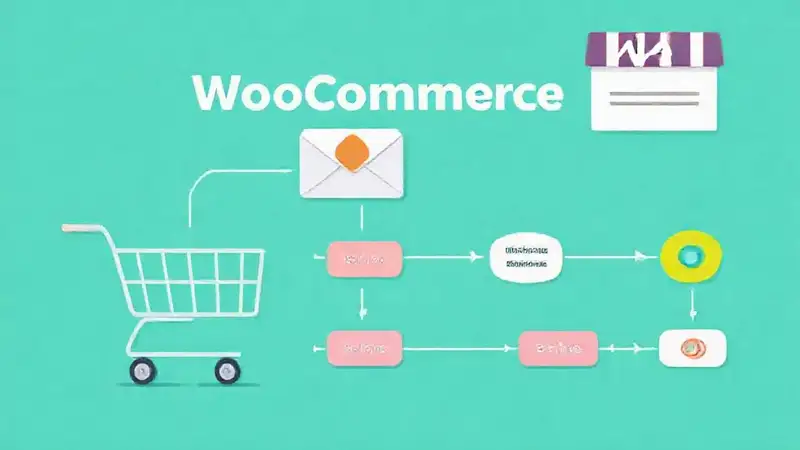
Setting up the right triggers and email timing is fundamental to the success of your abandoned cart strategy. The ideal trigger should fire within a short timeframe – typically 5-15 minutes – after a customer leaves items in their cart without completing the purchase. This ensures the email is delivered when the customer is most likely still considering their purchase. Follow up with a second email approximately 24 hours later, offering a gentle reminder and potentially highlighting any limited-time offers or promotions. Furthermore, consider segmenting your audience and tailoring your email timing based on customer behavior – for instance, sending a more urgent email to customers who have been inactive for longer. Effective scheduling can drastically improve your email open and click-through rates.
Tracking and Analyzing Results
Once you’ve implemented your abandoned cart email sequence, it’s essential to track and analyze its performance. Most plugins provide detailed reporting on key metrics such as email open rates, click-through rates, and conversion rates. Pay close attention to these metrics to identify areas for improvement. Are your emails being opened? Are customers clicking through to their carts? Are they completing their purchases? Use this data to refine your email templates, triggers, and timing. A/B testing different subject lines and content can also provide valuable insights. Regularly monitoring your performance will allow you to optimize your abandoned cart email strategy and maximize your return on investment. Proper analytics are crucial for ongoing improvement.
Conclusion
Setting up abandoned cart emails with WooCommerce is a strategic investment that can significantly boost your online sales. By focusing on user experience, compelling email design, and consistent performance tracking, you can turn lost carts into recovered revenue. Don’t underestimate the power of a timely and personalized reminder – it’s often the final nudge needed to convert a hesitant shopper into a loyal customer. Remember to continuously refine your strategy based on data and customer feedback to ensure your abandoned cart emails remain effective over time. With careful planning and execution, your WooCommerce store will reap the benefits of a well-optimized abandoned cart email sequence, driving sales and strengthening customer relationships.